Drumdeck

New · Practice room

Practice like a drummer.
Not like a metronome.

Drumdeck’s practice room turns your tablet into a drum teacher that never gets tired: 138 rudiments in real notation with big sticking, the ones that fit the song you’re learning, a rhythm trainer, practice plans, a metronome you can set exactly the way you want – and a counter that knows when you’ve really nailed it.

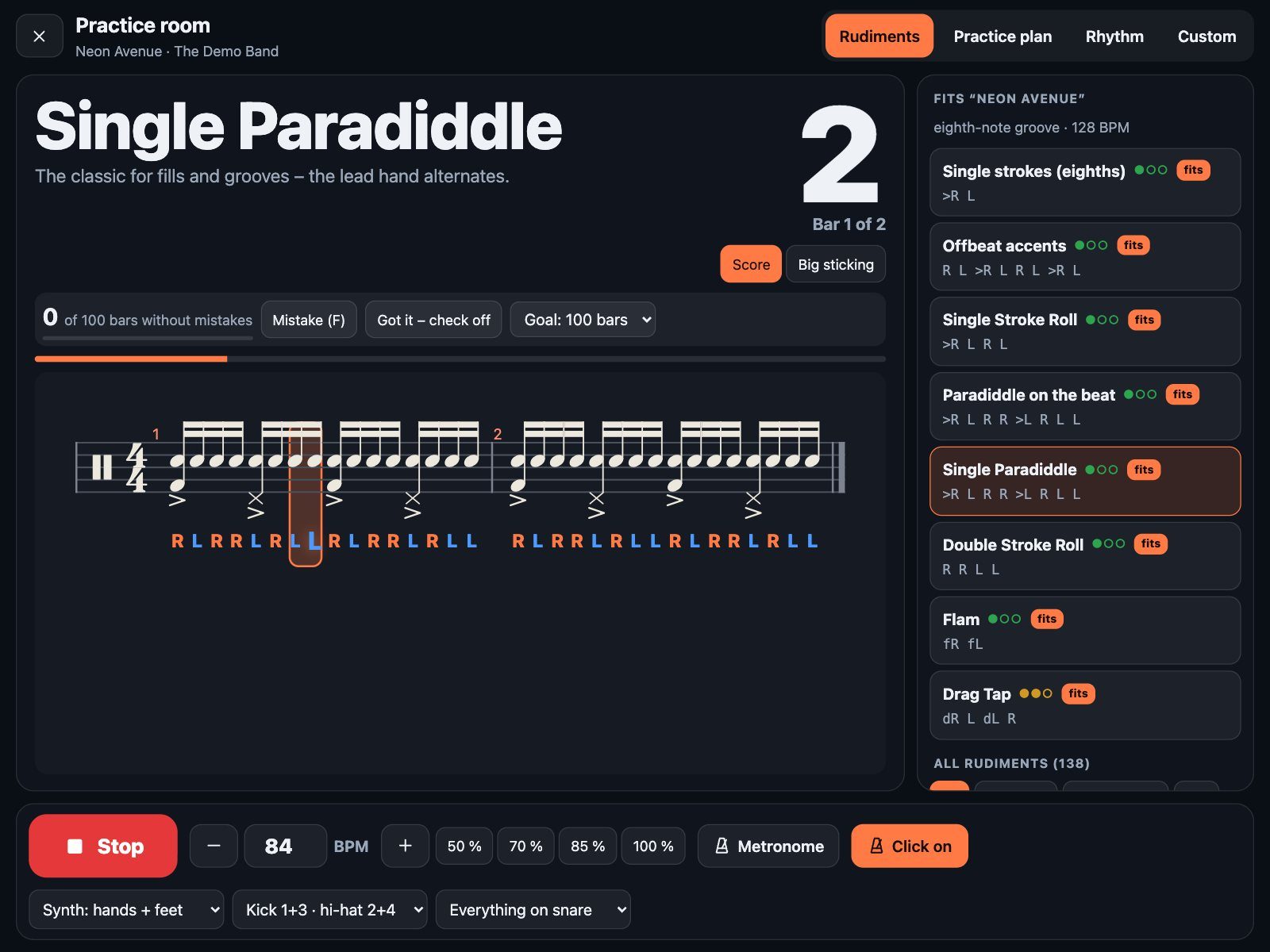
Drumdeck practice room: the Single Paradiddle in real drum notation with big R and L sticking under every note, the playing note highlighted
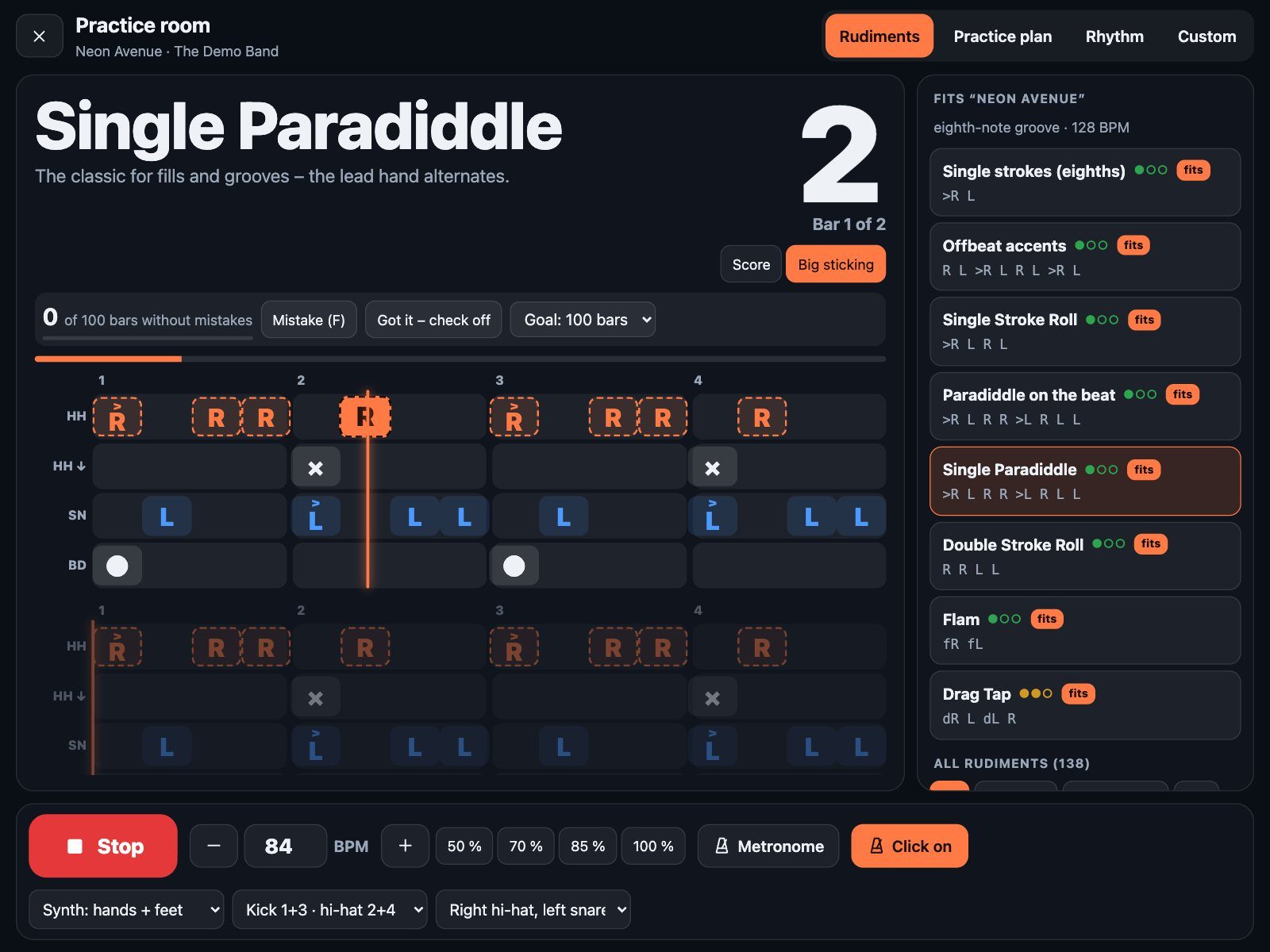
The Single Paradiddle with kick on 1 + 3 and hi-hat foot on 2 + 4 – the note you’re on lights up.

Made for the song you’re learning

Rudiments that fit your song.

Open the practice room from any song and Drumdeck reads its drum part first. Is it a straight eighth-note rock beat, a sixteenth-note groove, a shuffle in triplets? Are there fills around the toms, ghost notes on the snare, a fast tempo? From that, it picks the rudiments that will actually help you with this song – and tells you why.

  • “Fits” badges on the rudiments that match the feel of your song.
  • The reason in plain words – “eighth-note groove · tom fills · ghost notes · 128 BPM”.
  • Tempo buttons at 50, 70, 85 and 100 % of the song tempo. Drumdeck remembers your practice tempo for every song.
  • Feet like in the song – one tap and your kick and hi-hat foot play the most common pattern of the real drum part under any rudiment.
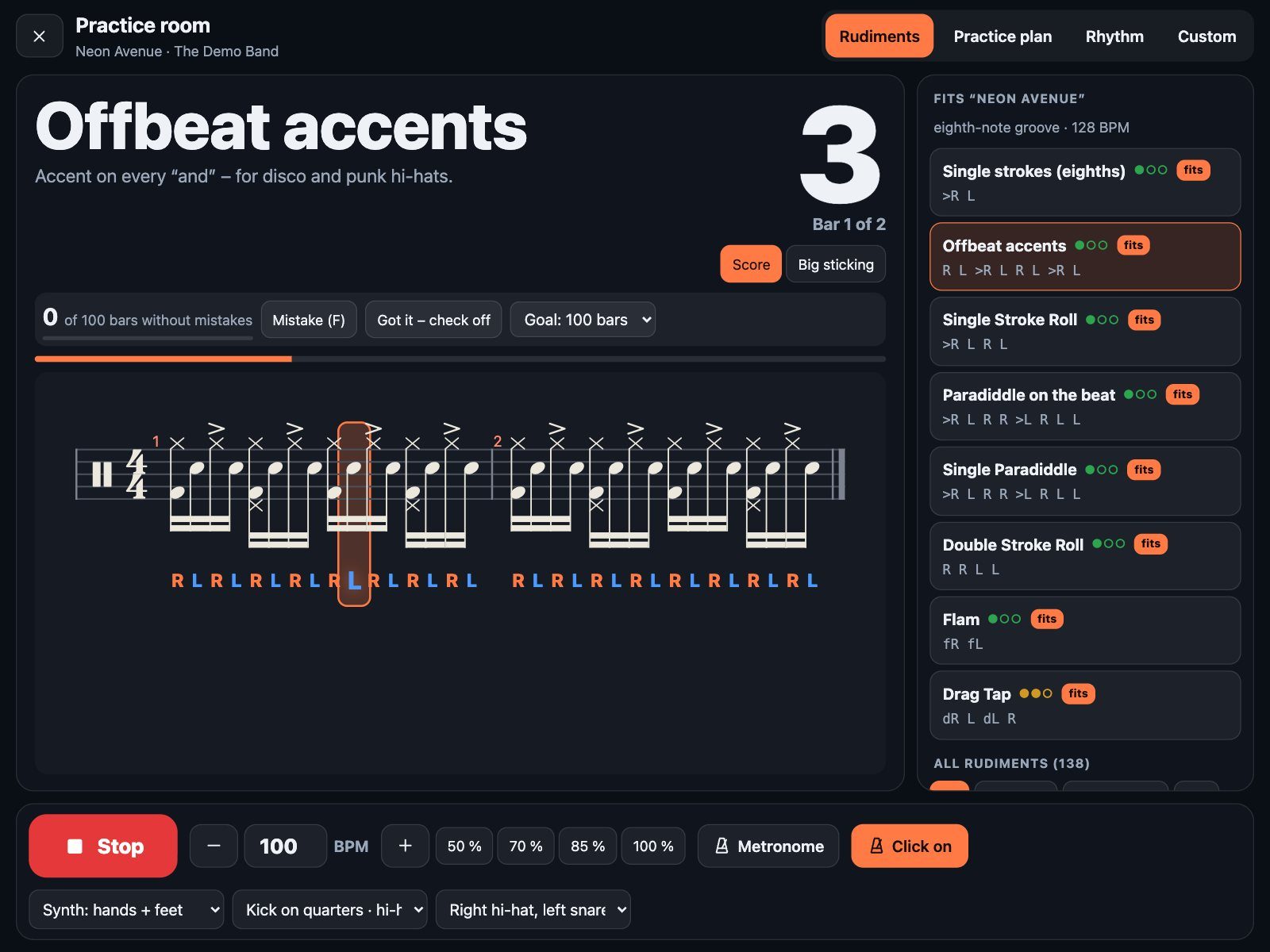
List of rudiments marked “fits” for the demo song, with the reason: eighth-note groove, 128 BPM; Offbeat accents in notation with the right hand on the hi-hat and the kick on every quarter
On the right: the rudiments that fit the song, with the reason on top. Here: offbeat accents on the hi-hat, kick on every quarter.

Real notation

Read it like a chart. Play it like a pro.

Every exercise is engraved as proper drum notation – accents, ghost notes in brackets, flam and drag grace notes, buzz strokes, triplets, quintuplets and sextuplets. Under every note, the sticking stands in big letters: R for right, L for left, K for the kick in linear fills.

  • A highlight follows the beat – note by note, perfectly in time with the click.
  • The page turns itself – the line you’re playing always scrolls into view.
  • Hands and feet together – kick and hi-hat foot are written right into the same staff, the way practice books do it.
  • Choose your drums – everything on snare, right hand on hi-hat, accents on the toms, or one drum per beat around the kit.
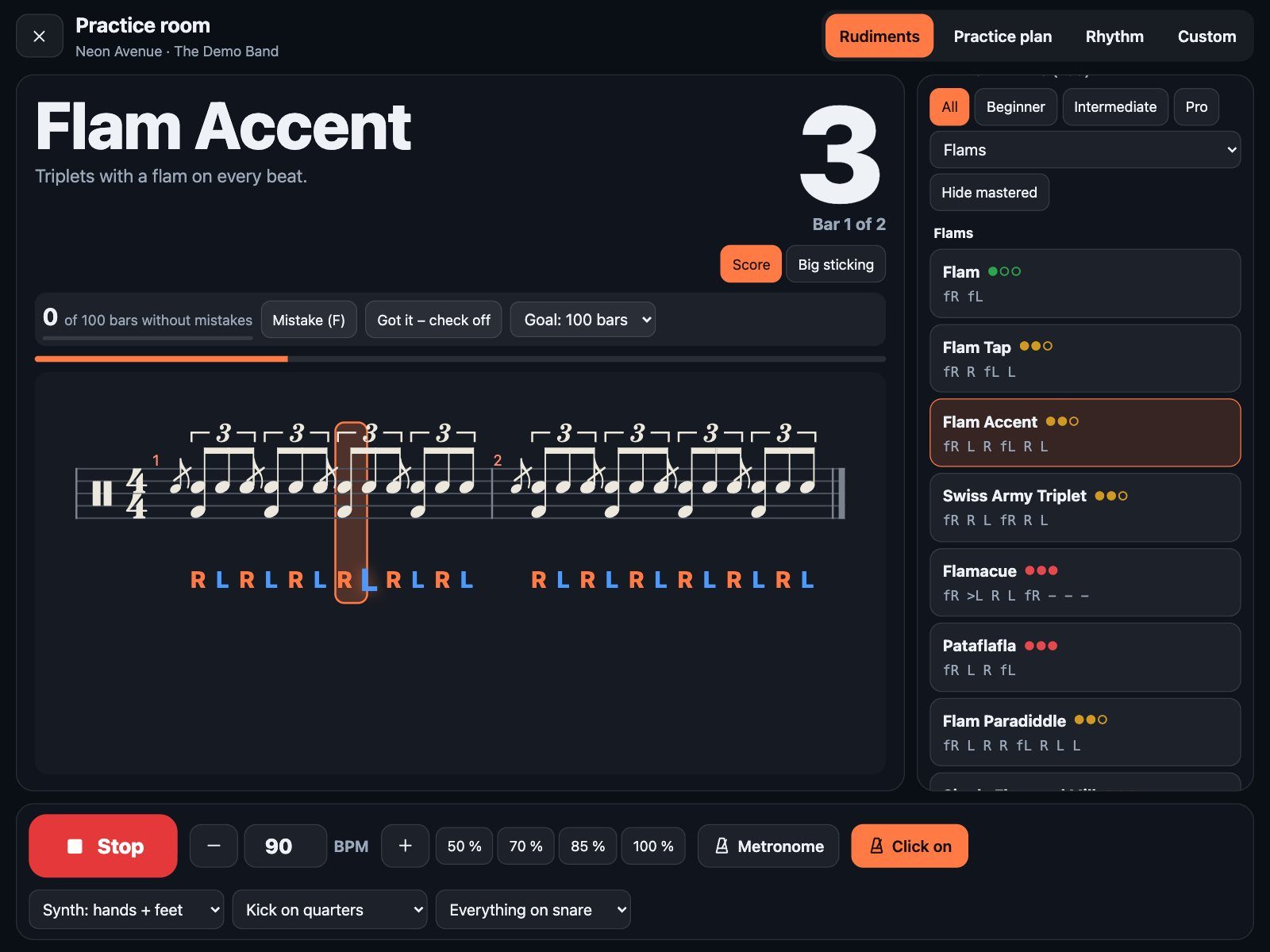
The Flam Accent in drum notation: triplets with a flam grace note on every beat, sticking letters under the notes
Flam Accent: triplet brackets, flam grace notes, and the sticking in color – orange for right, blue for left.

Tap any note

Not sure what that little note is? Tap it.

Tap any note in the practice room and Drumdeck explains it right there: which drum, which hand or foot, where it sits in the count – and how to play it.

  • The count – “Beat 2”, “3 and”, “4 a”, or “Beat 1, note 2 of 3” in triplets.
  • Drum and limb – “Snare · left hand”, “Hi-hat with the foot · left foot”.
  • How to play it – flams, drags, buzz rolls, accents, ghost notes and open hi-hats come with a one-line explanation.
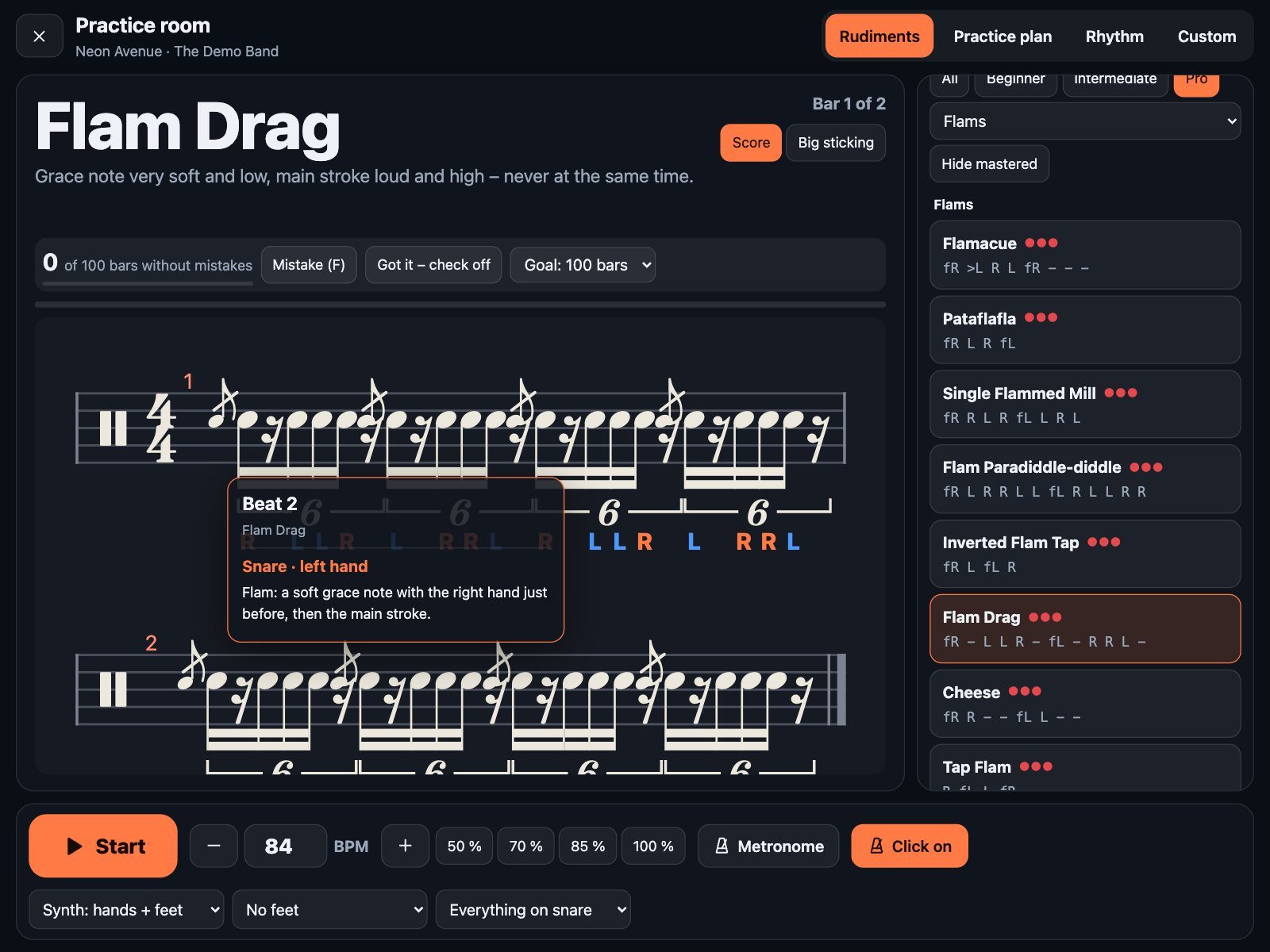
A tapped flam in the Flam Drag rudiment, with a card explaining: Beat 2, snare, left hand, a soft grace note with the right hand just before
A tapped flam: “a soft grace note with the right hand just before, then the main stroke.”

Readable from the throne

Big sticking, laid out like your kit.

Switch to “Big sticking” and every drum gets its own lane – cymbals and hi-hat on top, toms and snare in the middle, kick at the bottom, just like on a drum chart. The letters are huge, so you can read them from the throne, five feet away, while your hands are busy.

  • The bar you’re in, plus the next one – you always see what’s coming.
  • A glowing playhead glides across the lanes; every note lights up as it’s played.
  • Hi-hat hand and hi-hat foot both sit at the top, the kick at the bottom – no guessing.
Lanes for hi-hat, hi-hat foot, snare and kick with large R and L letters and a glowing playhead
Paradiddle with the right hand on the hi-hat: suddenly it’s a groove.
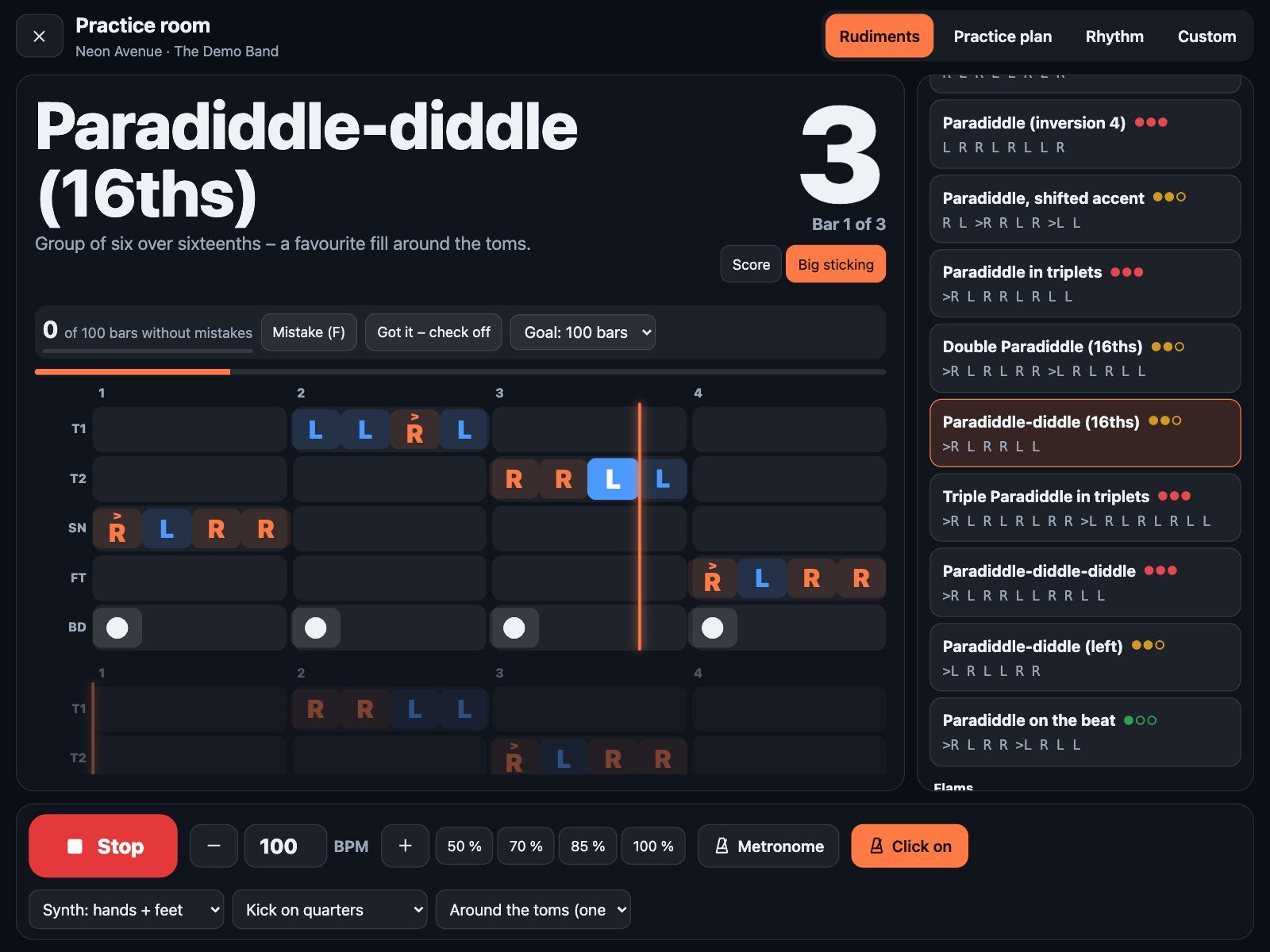
Paradiddle-diddle around the toms in lanes: tom 1, tom 2, snare, floor tom and kick
“Around the toms”: one drum per beat – a ready-made fill.

The library

138 rudiments, from first paradiddle to seventeen-stroke roll.

38 of the 40 standard rudiments, plus hybrids, accent studies, sticking patterns, triplet figures and linear fills with the kick. Every one is rated by level, so you always know where you stand.

  • Three levels – 34 for beginners, 63 intermediate, 41 pro – shown as green, yellow and red dots.
  • Ten groups – rolls, paradiddles, flams, drags, accents, stickings, triplets, linear, combinations, tempo & subdivision.
  • Filters by level and group, and one tap hides everything you’ve already mastered.
  • A tip for every exercise – what to focus on, right under the name.
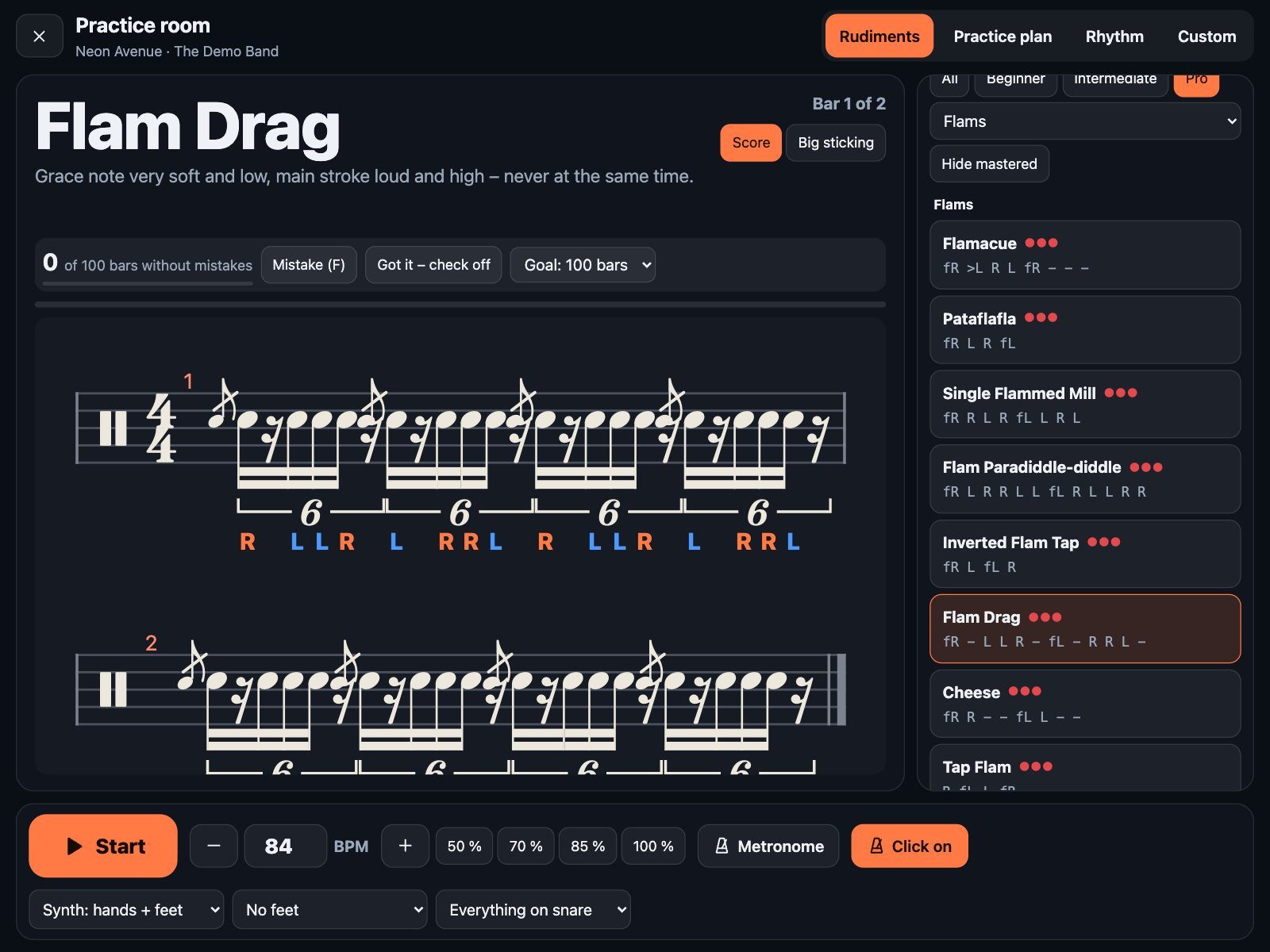
The rudiment list filtered to Pro level flams, with the Flam Drag in notation
Pro level, flams only: Flamacue, Pataflafla, Single Flammed Mill, Flam Drag …
20

Rolls

Single, double, triple stroke, buzz, and 5- to 17-stroke rolls.

17

Paradiddles

All inversions, doubles and triples, paradiddle-diddles, ghost-note versions.

18

Flams

Flam tap, flam accent, flamacue, pataflafla, Swiss army triplet, cheese …

9

Drags

Ruff, drag taps, Lesson 25, drag paradiddle, single to triple ratamacue.

15

Accents

Accents on e, and, a; moving accents; groups of three and five; Moeller.

20

Stickings

Stick-Control-style patterns from RLRL to groups of five and seven.

11

Triplets

RLL, RRL, sextuplets, hemiola – the shuffle and 6/8 toolkit.

12

Linear

Hands and kick never at once: R L K, R R L L K K and friends.

6

Combinations

Two rudiments back to back – practice the switch.

10

Tempo & subdivision

32nds, quintuplets, offbeats only, rests you have to count.

Practice plans

A whole practice session. No stopping between exercises.

Put rudiments in a row – or tap “Suggestion for this song” – and Drumdeck plays them back to back, each for as many bars as you like, then starts over. You just keep playing.
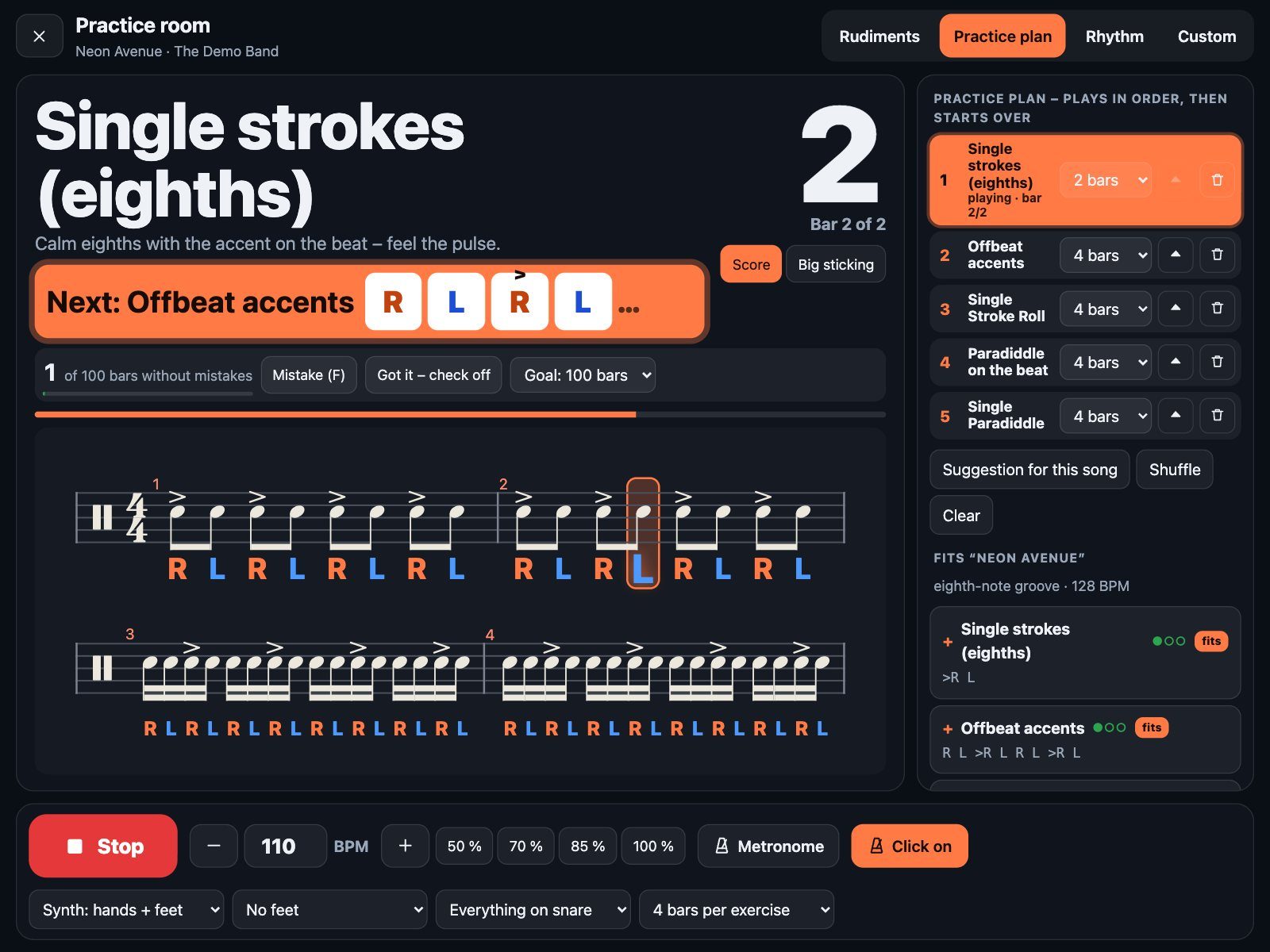
  • See the change coming – one bar before the next exercise, its first four strokes appear big and orange at the top: “Next: Offbeat accents – R L R L”.
  • The current exercise lights up in the plan on the right, with “bar 2 of 4”.
  • Change it while it plays – make an exercise 8 bars instead of 4, move one up, add or remove one. The plan keeps running, no new count-in.
  • Shuffle the order to keep yourself honest.
A running practice plan: the current exercise highlighted on the right, and a large orange banner showing the first four strokes of the next exercise
Last bar before the switch: the first four strokes of what’s next.

Rhythm trainer · 1

The subdivision ladder.

Quarters, eighths, triplets, sixteenths, sextuplets – and back down. Drumdeck switches the subdivision every one, two or four bars, and you switch with it, cleanly on the one. It’s the fastest way to feel the difference between a triplet and a sixteenth in your hands.
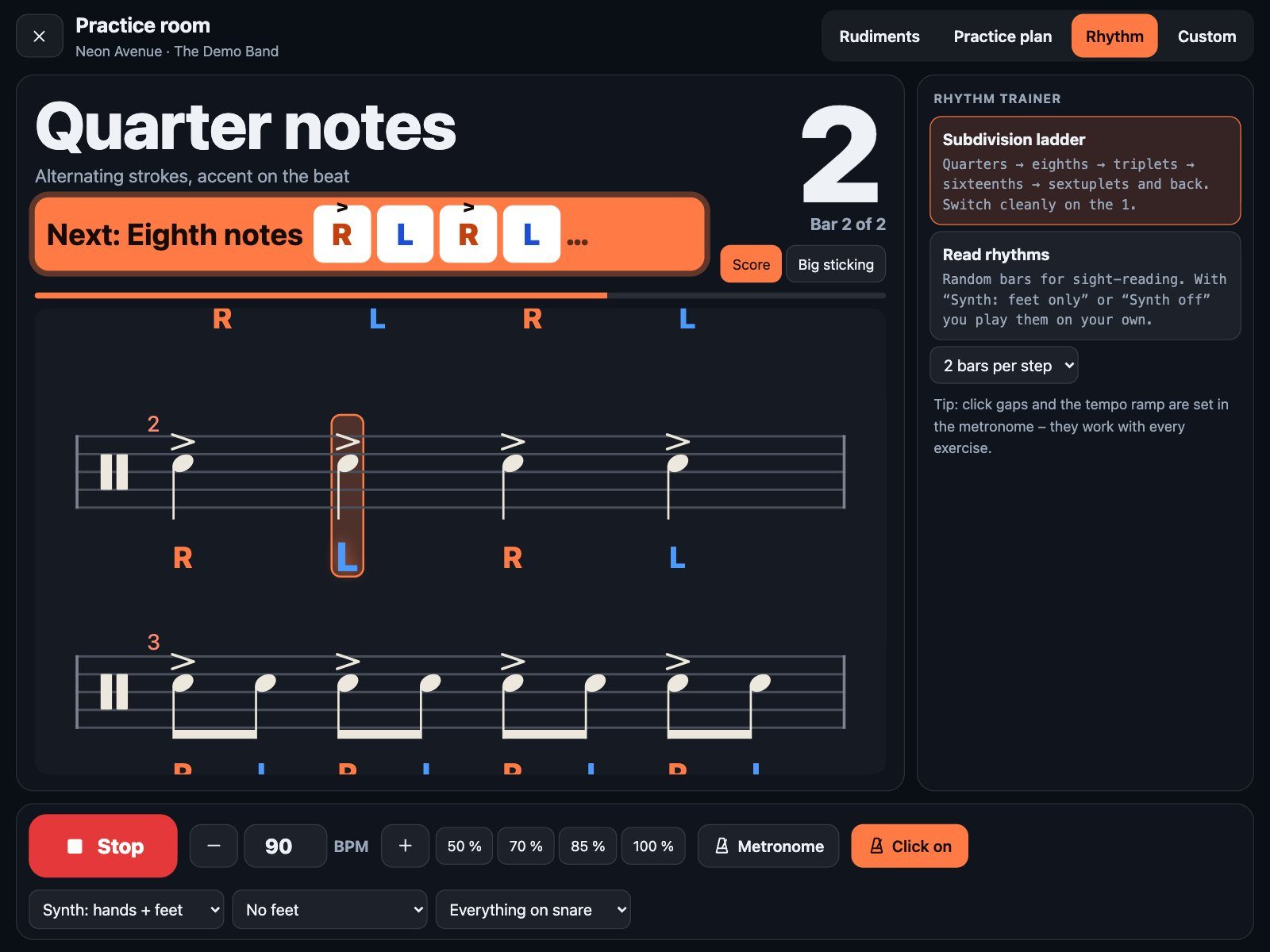
  • The next step is always announced – with its first four strokes, one bar ahead.
  • Accent on every beat, so you hear the pulse in every subdivision.
  • Combine it with the speed trainer – a little faster every few bars.
Subdivision ladder in notation: quarter notes now, with a banner announcing eighth notes next
Quarter notes now – “Next: Eighth notes” is already on screen.

Rhythm trainer · 2

Sight-reading that never runs out.

Drumdeck writes new rhythms for you to read and play – easy eighths, sixteenth-note figures, or mixed with triplets for the hard level. Roll new ones whenever you’ve got these down.
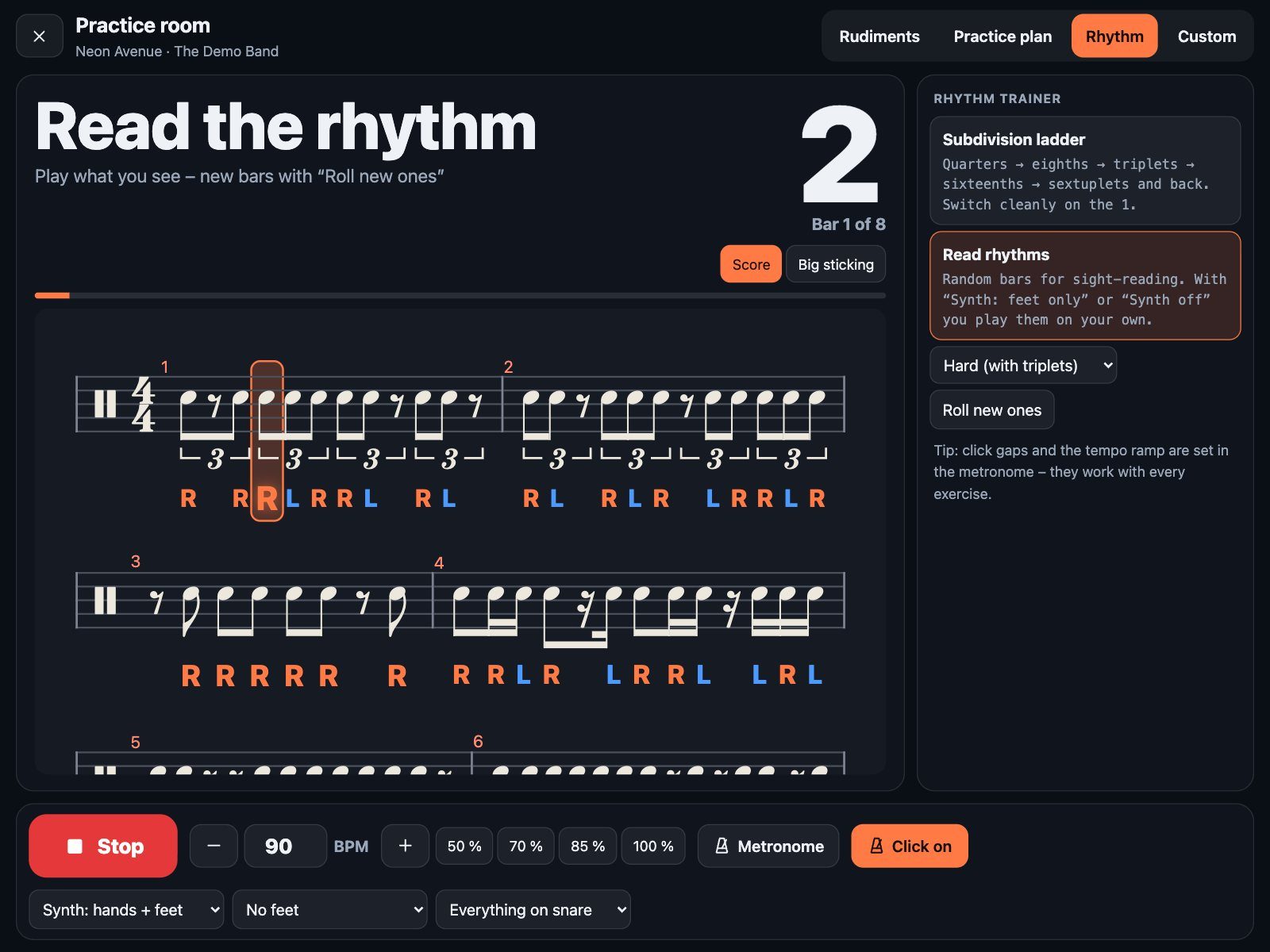
  • Three levels – easy (eighths), medium (sixteenths), hard (with triplets).
  • Hear it first, then play it alone – set the synth to “feet only” or “off” and you’re reading on your own, with just the click.
  • Natural sticking under every note – right on the beat, left in between.
Randomly generated rhythm reading exercise with sixteenths, rests and triplets
Hard level: sixteenths, rests and triplets – new bars at a tap.

The metronome

Your click. Exactly the way you want it – any time.

Open the metronome while you play and change anything; it takes effect on the next beat, without stopping. Every click is scheduled ahead on the audio clock, so it stays rock solid.
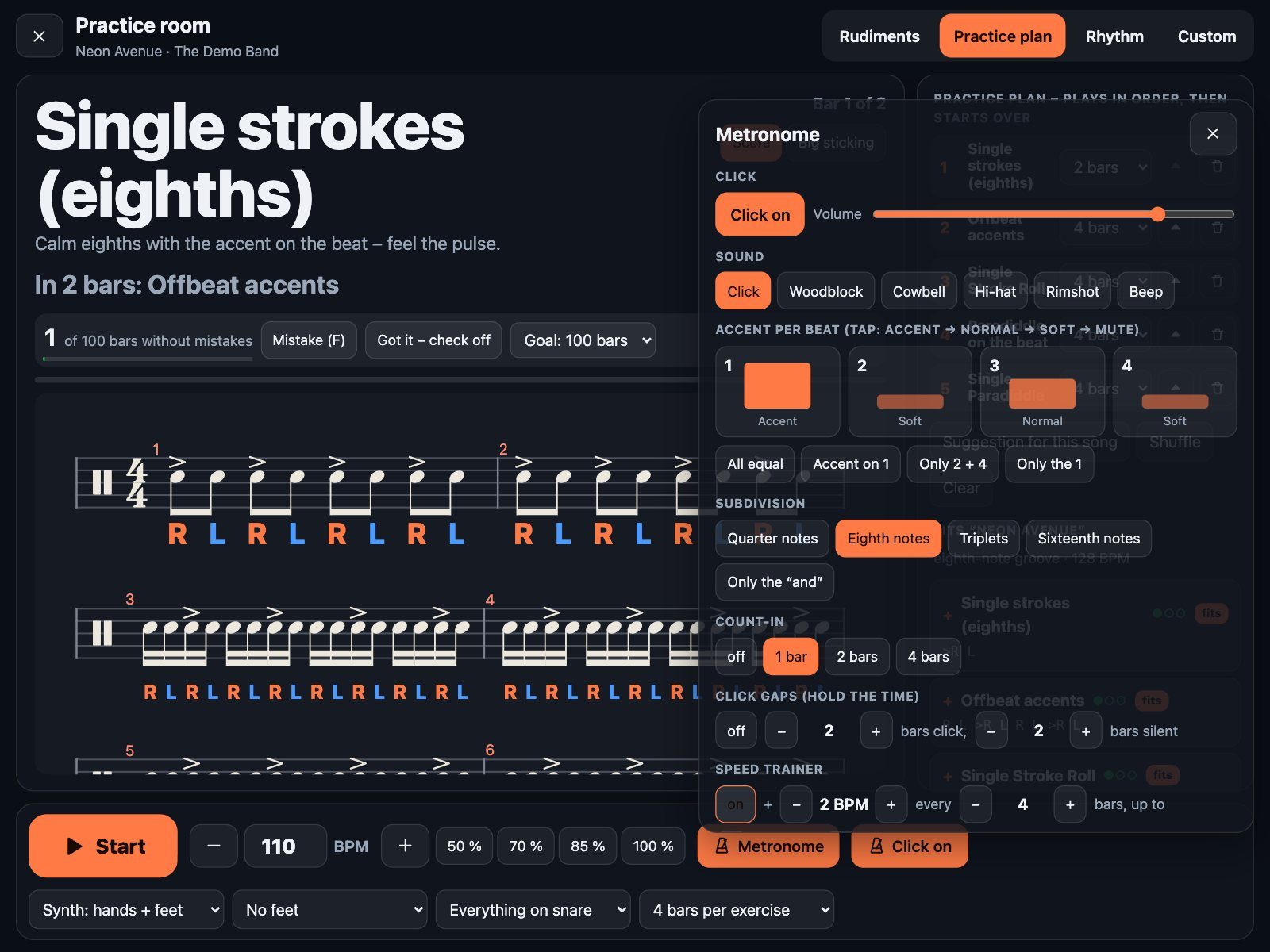
  • Six sounds – click, woodblock, cowbell, hi-hat, rimshot, beep – plus volume.
  • Accent per beat – tap each beat to cycle accent, normal, soft, mute. Presets for “2 + 4 only” and “only the 1”.
  • Subdivision – quarters, eighths, triplets, sixteenths, or only the “and” for offbeat training.
  • Count-in – off, 1, 2 or 4 bars.
  • Click gaps – e.g. 2 bars click, 2 bars silent. Do you come back in on time?
  • Speed trainer – +2 BPM every 4 bars up to your goal tempo, or any step you like.
  • Tap ±1 BPM, hold for ±10 – the plus and minus buttons repeat while you hold them.
Metronome panel with click sound, volume, accent per beat, subdivision, count-in, click gaps and speed trainer
Accent on 1 and 3, soft 2 and 4, eighth-note subdivision, speed trainer on.

Build your own

Write your own exercises – with your finger.

Nine lanes – crash, ride, hi-hat, hi-hat foot, two toms, snare, floor tom and kick – laid out like a drum chart. Tap to add a note, drag it to move it in time or onto another drum, double-tap to delete. Then press play: Drumdeck loops it with the metronome while you keep editing.
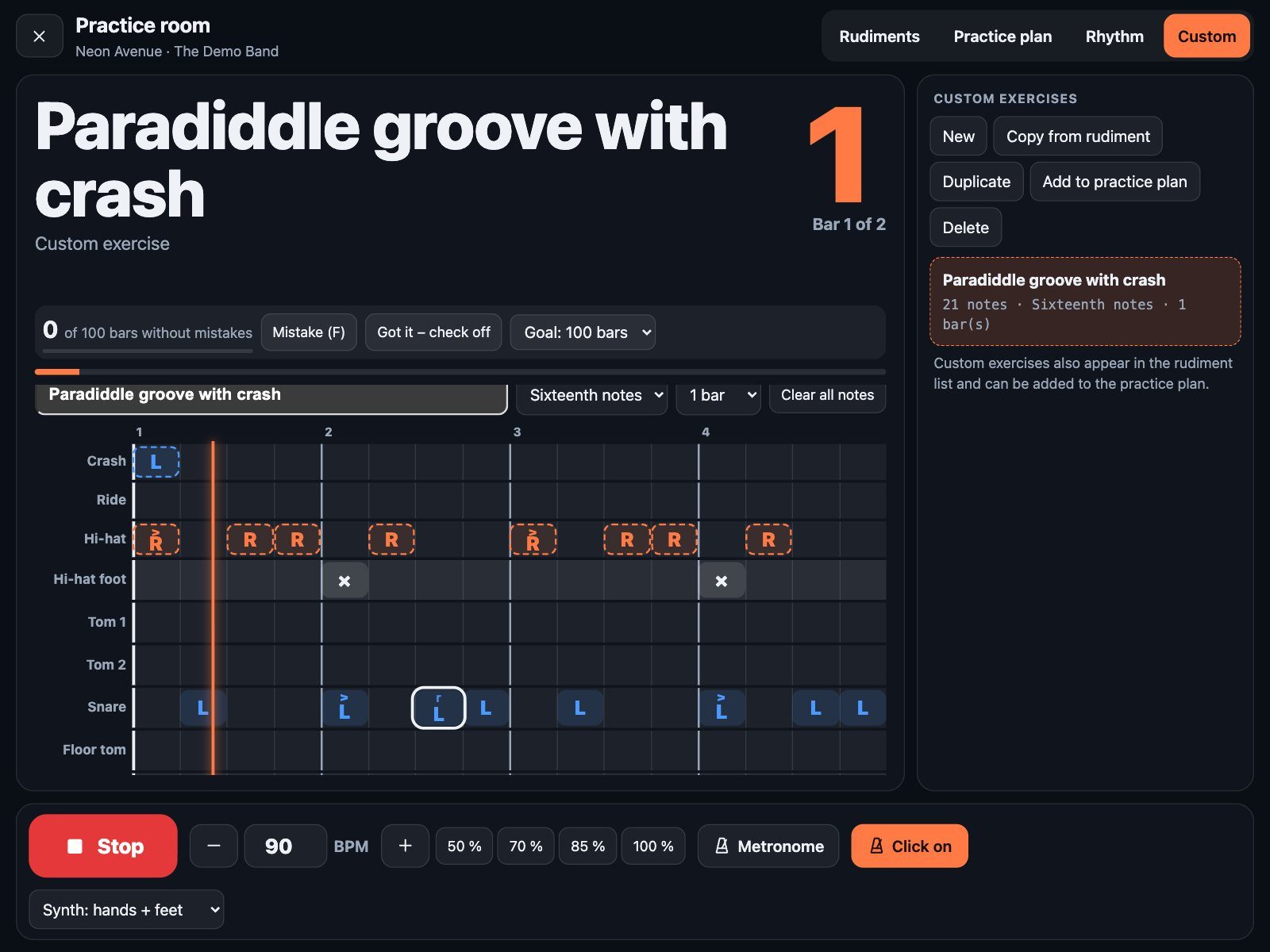
  • Start from any rudiment – “Copy from rudiment” takes it with your hand and feet settings, then make it yours.
  • Every note can be right or left, accented, a ghost note, a flam, a drag, a buzz – or an open hi-hat.
  • Eighths to 32nds, triplets and sextuplets, one or two bars.
  • Use them everywhere – your exercises show up in the rudiment list and can go into any practice plan.
Exercise editor with lanes for crash, ride, hi-hat, hi-hat foot, toms, snare, floor tom and kick, a selected note and a playhead
A paradiddle groove with a crash on the one – built in under a minute.

Check it off

100 clean bars. Then it’s yours.

Drumdeck counts the bars you play. Slip up? Tap “Mistake”, press F, or hit your second foot switch – the counter starts over. Reach your goal and the exercise is checked off, with the tempo and the date.
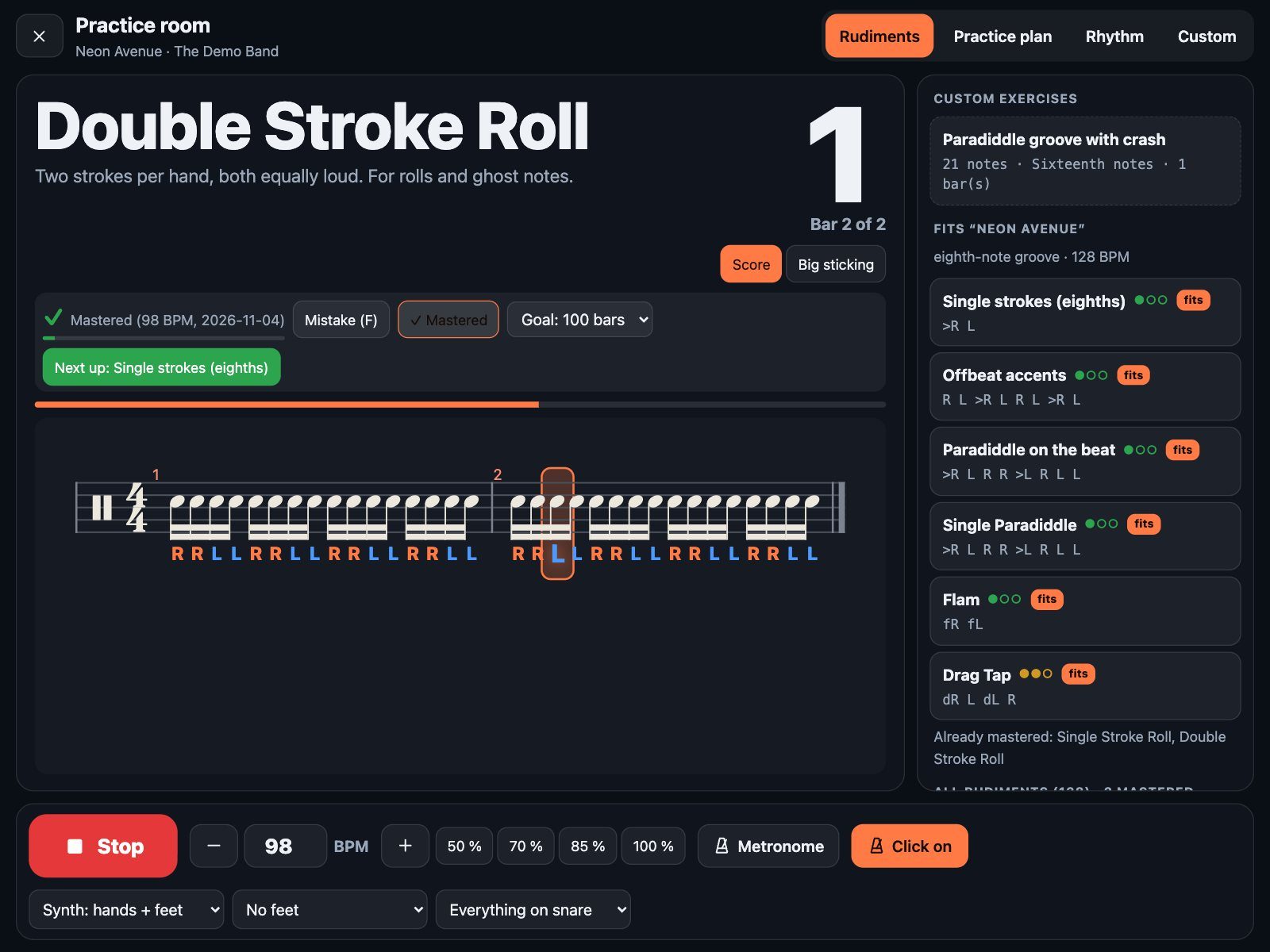
  • Your goal – 25, 50, 100 or 200 clean bars in a row.
  • Or decide yourself – “Got it – check off” whenever you know it sits.
  • See what you can already do – a green check in every list, mastered exercises drop out of the suggestions.
  • What’s next? – after checking one off, Drumdeck suggests the next one that fits: same song, same group, or one level up.
Double Stroke Roll marked as mastered at 98 BPM, with a button suggesting the next exercise
Checked off at 98 BPM – and the next exercise is one tap away.

Synth drums on or off

Hear the exercise first, then play it yourself: hands + feet, hands only, feet only, or off – just you and the click.

Foot switch

Start and stop with your foot switch. The second pedal marks a mistake – your hands never leave the sticks.

One clock

Click, notation, highlight and synth all run on the same audio clock – nothing drifts, even at 250 BPM.

Tablet, laptop, offline

Runs in the browser, works from the home screen like an app – and keeps working without signal.

Questions

Do I need a drum kit?

No. A practice pad and a pair of sticks is enough for most of it. The built-in drum synth plays the kick, hi-hat and toms for you if you want to hear the full pattern.

Does Drumdeck listen to me play?

No – there’s no microphone involved, and nothing is recorded. You’re the judge: when you slip, tap “Mistake” (or press F, or your second foot switch) and the counter starts again. Honest practice, no false alarms from a noisy room.

Which rudiments are included?

138 in total: 38 of the 40 standard rudiments, plus hybrid rudiments, accent studies, Stick-Control-style stickings, triplet patterns, linear fills with the kick, combinations and subdivision exercises. And you can write your own.

Is the practice room only for drums?

For now, yes – it’s built for drummers. The rest of Drumdeck (rehearsal mode, band session) works for the whole band.

How do the song suggestions work?

When you open the practice room from a song, Drumdeck looks at the drum part of that song’s chart: triplet or straight feel, how many sixteenths, tom fills, ghost notes, tempo, and the most common kick and hi-hat pattern. That decides which rudiments get the “fits” badge.

Want to practice with Drumdeck?

We’re testing it in real practice rooms right now. Join the waitlist and you’ll be among the first to get access.

Join the waitlist

Screenshots with a made-up demo song.